Step 10 Simple Photo-editing workflow– Fixing redeye
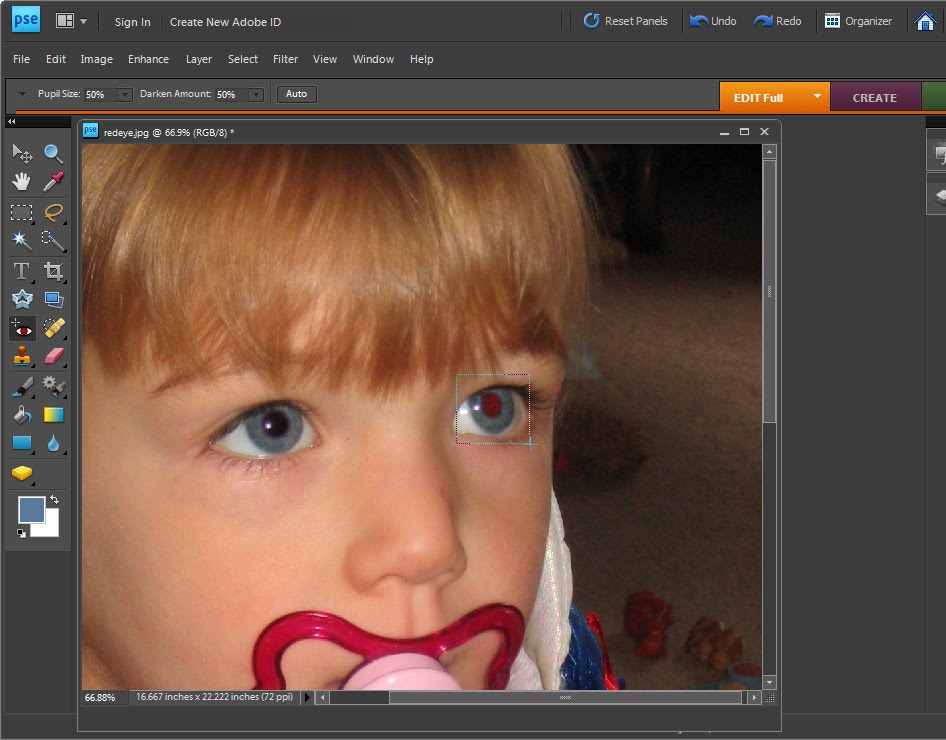
Redeye is caused by the camera’s flash and is often difficult to avoid.
If your photograph has a subject with redeye you can fix it using the redeye tool in Photoshop Elements.
Click the Zoom Tool and click and drag over the eyes in the image to make them large enough that you see them clearly.
Click the Redeye removal tool and click on the red part of the eye. If necessary, adjust the Darken amount and the Pupil Size on the toolbar to get a good result. Fix each eye and then save the image.
Labels: Photo-editing workflow, redeye fix
posted by Jane @ 6:58 PM



0 Comments:
Post a Comment
We welcome your comments so please share additional tips, tricks and questions.
Subscribe to Post Comments [Atom]
<< Home